Automation is most useful when it handles the repetitive work and leaves the irreversible decision to a person. In trading, the irreversible decision is sending an order with real money.
We built an internal web platform for US stocks and options that follows that principle. Strategy bots can check signals and prepare orders on a schedule, and paper accounts can run freely. For a live account, every order waits on a confirmation screen until the account owner enters a password. This is a project for our own use, not a client engagement, and it is not investment advice.
Project at a glance
- The problem: testing ideas, monitoring positions, and placing orders meant switching between broker apps, charting tools, and spreadsheets, with no shared risk limits or record of why an order was placed.
- The approach: one web application in front of several brokers, with the same risk controls, audit log, and confirmation step whichever broker is in use.
- The deliverable: market data, options chains, backtests, scheduled strategy bots, a built-in paper account, live and paper broker connections, risk controls, and phone notifications, packaged for a small server.
- The verified output: 34 commits between September 24 and November 11, 2026, and 211 automated backend tests in the repository.
We do not publish trading results from this platform. The figures above describe what was built.
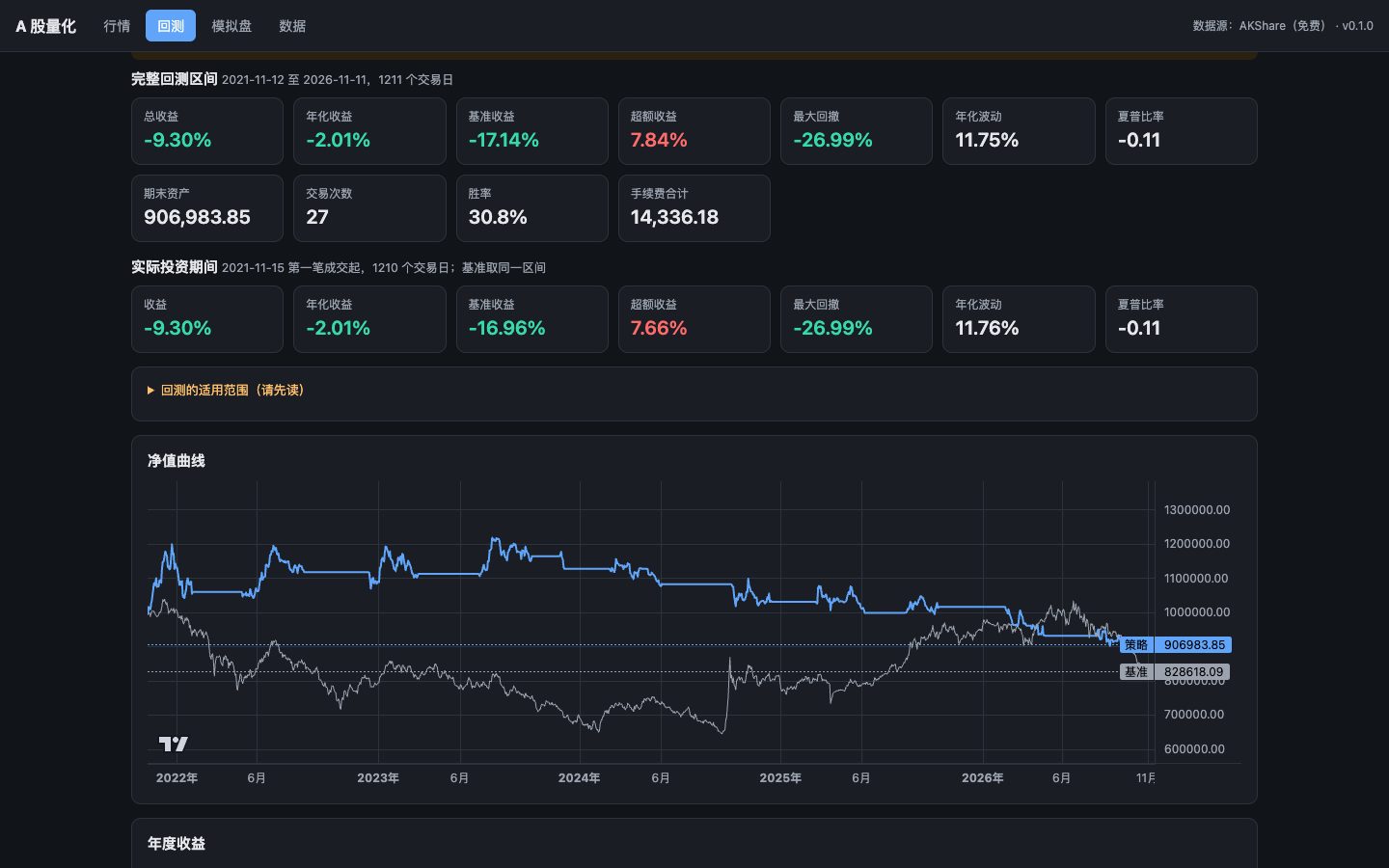
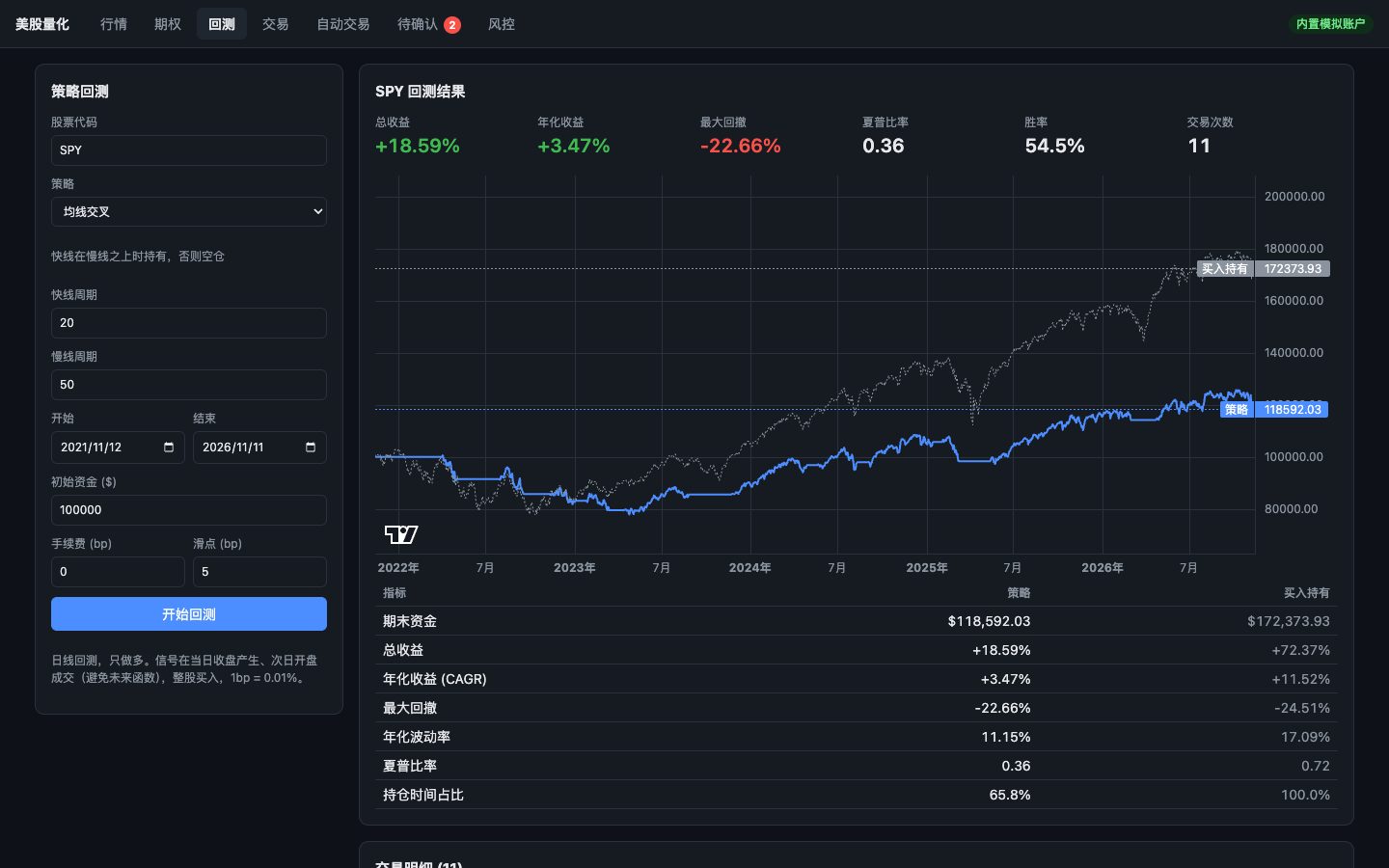
The screenshots in this case were taken on November 11, 2026, from a local copy using real Alpaca market data and an empty built-in paper account created for the screenshots. No broker account and no real money were involved. The backtest uses the default settings of one built-in strategy to show the interface. It is not a strategy we trade or recommend.
What we built
One dashboard for several brokers
The platform connects to Alpaca for paper and live trading, to Interactive Brokers through its Client Portal gateway, and to Charles Schwab for market data. When no broker is configured, a built-in paper account records simulated balances and fills in the platform's own database.
Each broker connection keeps its own risk state, pending confirmations, and order history, so stopping trading on one account does not silently affect another.
Market data, charts, and options
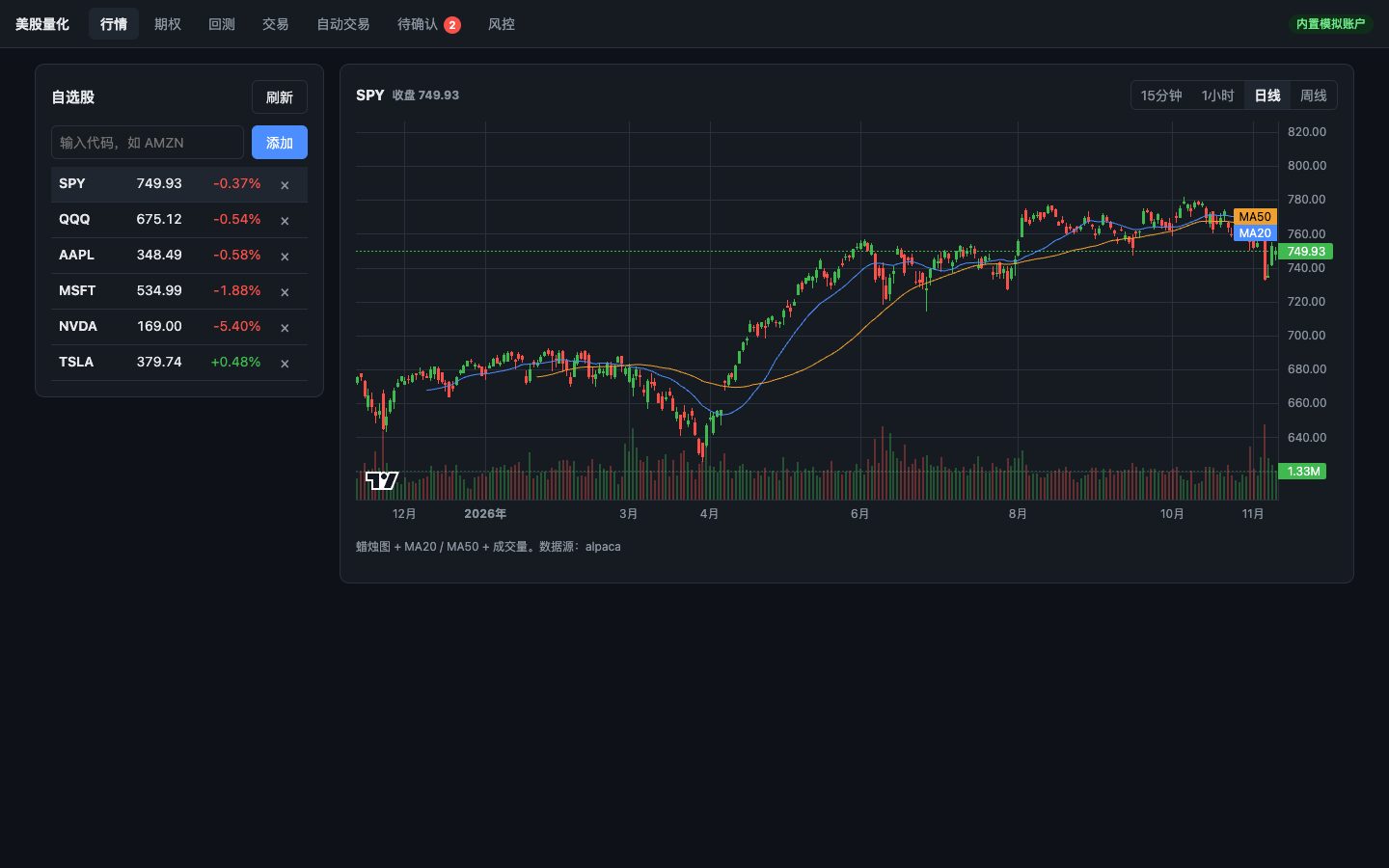
A watchlist shows quotes and candlestick charts at several timeframes with moving averages and volume. The options page shows the chain with bid, ask, delta, implied volatility, and open interest, and lets the user place an order from a quote and track days to expiry.
Backtests that match how the bots trade
Nine strategies can be backtested, from moving-average crossovers and RSI mean reversion to channel breakouts, Supertrend, and buy-and-hold. By default, a signal from today's close fills at the next open. A second mode uses five-minute bars to reproduce the price a bot would have seen at its scheduled check time, so the backtest matches the live bot's timing. A close-price fill is available only for comparison, and the interface says that it is not achievable in practice.
Ranking strategies across several stocks
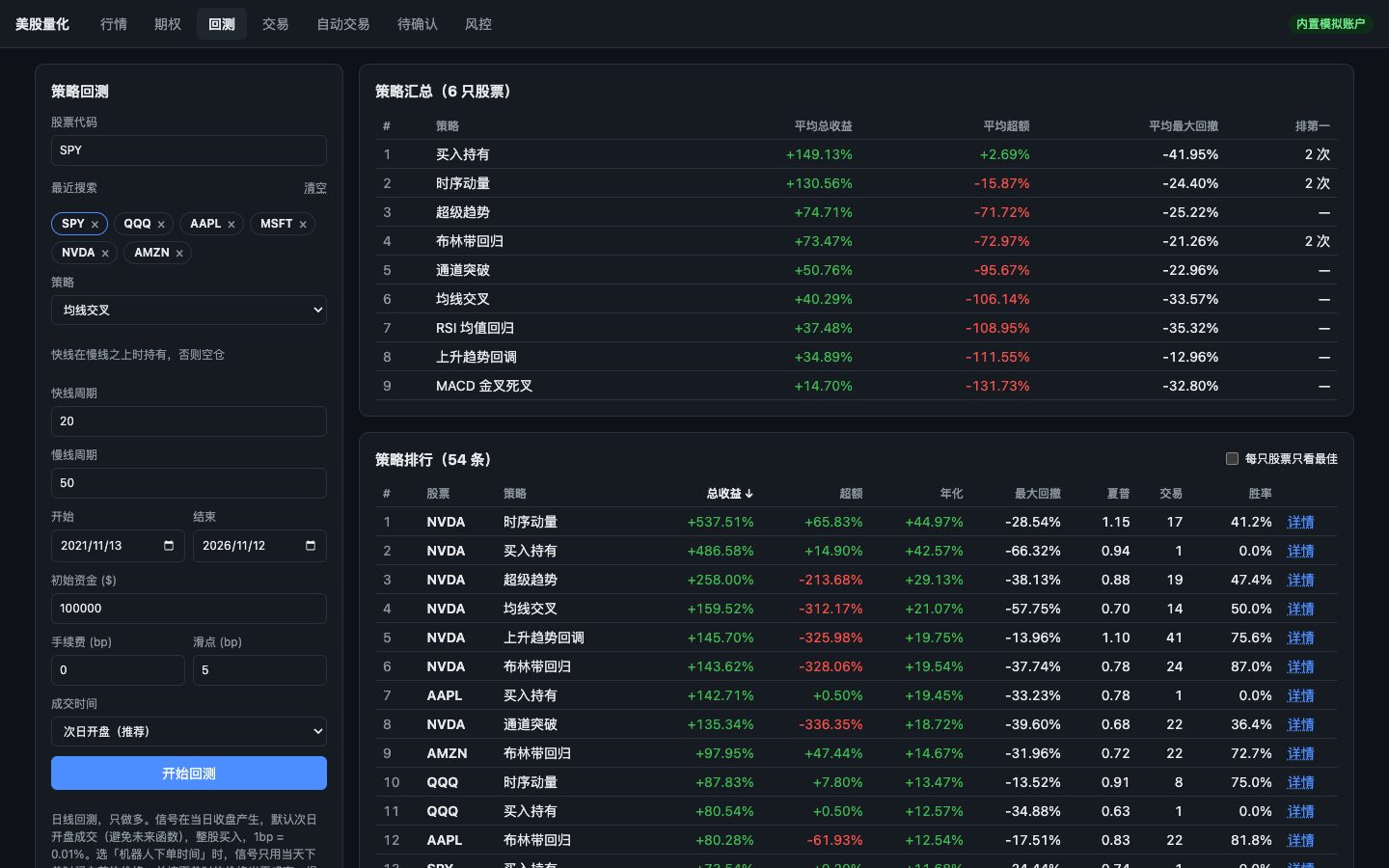
A later update added a strategy ranking. It backtests every strategy with default settings on up to 20 stocks at once, then shows two tables: a summary of each strategy's average result and how often it came first, and a full ranking that can be sorted by any metric or filtered to the best strategy per stock. Any row opens as a full backtest. Stocks or strategies without enough data are listed instead of failing the whole run.
Strategy bots with a dry-run mode
A bot is configured per stock and checks its signal before the close on each trading day. A dry-run setting shows what the bot would do without placing any order, which makes it possible to observe a strategy before trusting it with a paper account.
A built-in paper account that behaves like a market
The paper account fills market orders only during regular US trading hours, using an NYSE holiday calendar and a configurable slippage allowance. Orders placed while the market is closed wait for the next open. Limit orders are checked regularly, day orders expire at the close, and funds or shares reserved by open orders cannot be used twice.
Human approval for live orders
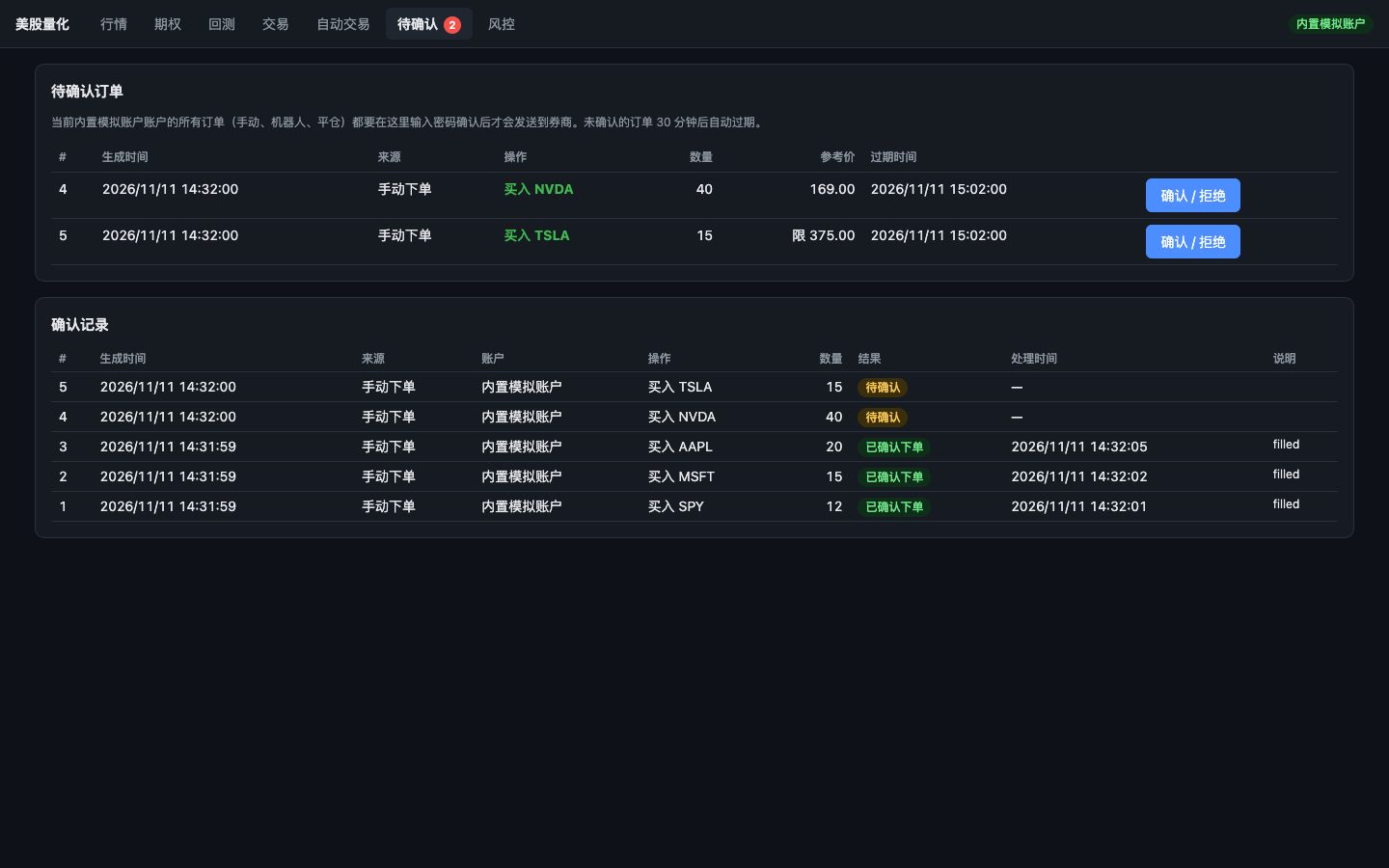
For a live account, no order goes straight to the broker. Orders from the trading page and from bots enter a pending queue. The account owner reviews each one and enters a password to send it. Orders rejected by risk rules are still written to the audit log, so the record shows what was attempted as well as what was sent.
Unconfirmed orders expire after 30 minutes by default, so a signal that was valid an hour ago cannot be approved by accident later. The same confirmation flow can also be switched on for the paper account, which lets the owner rehearse it without real money. That is how the screenshot below was made.
This is the same pattern we recommend for AI agents that can take actions: let automation prepare the work, and require a clear human decision before anything irreversible happens. Our article on what an approval screen should show describes the same idea for business workflows.
Risk controls that are easy to reach
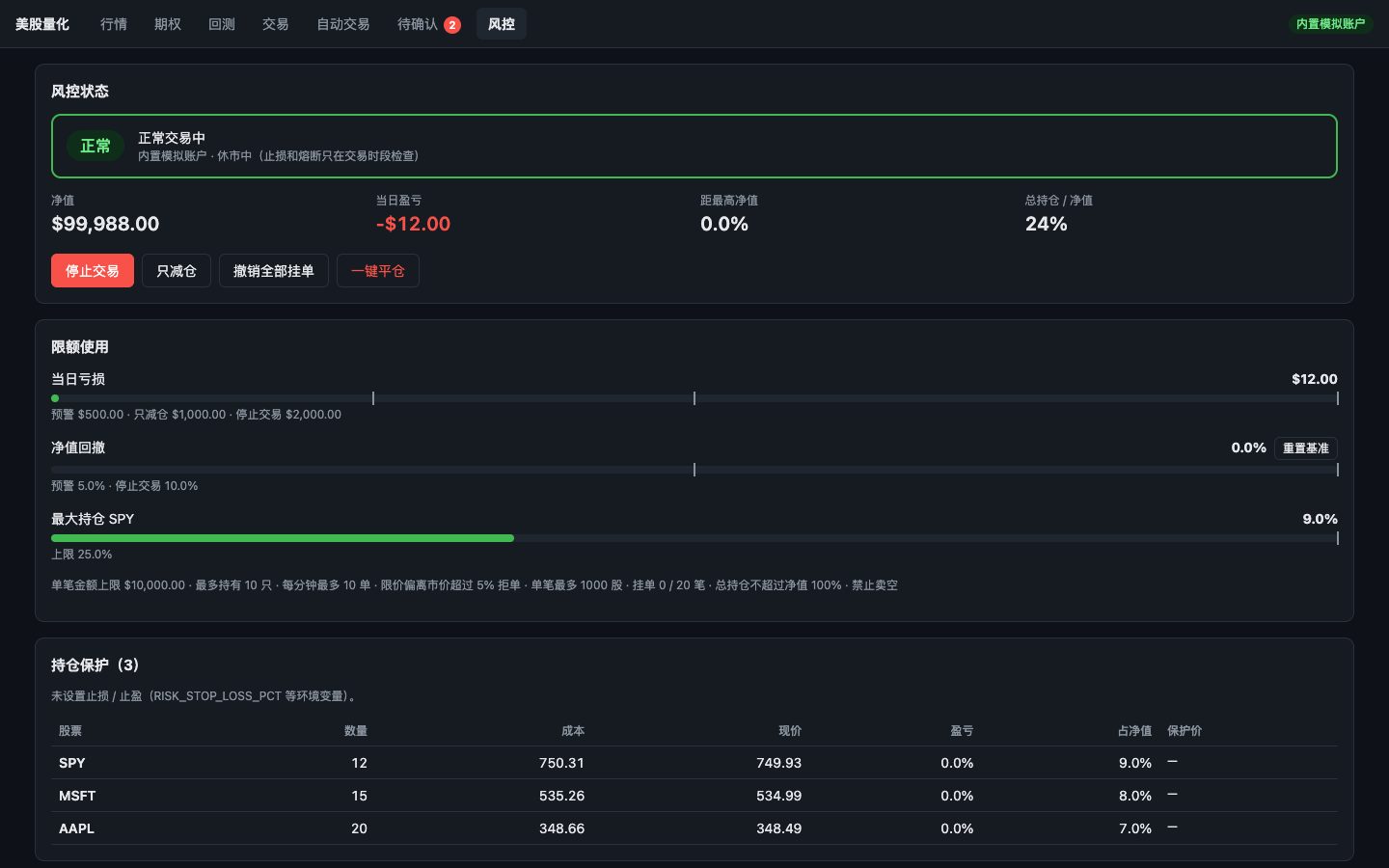
The risk page shows whether an account is trading normally, reduce-only, or halted, with progress toward the daily loss and drawdown limits, stop-loss and take-profit levels for each position, and recent risk events. Halting trading, cancelling all open orders, and closing all positions are each one action, and the page is designed to work on a phone.
Recent changes focused on what happens when things go wrong: HTTP timeouts on broker calls, a scheduler that can run several jobs at once, and retries when a halt's cancel or close requests fail, including cancelling orders that were already in flight.
Deployment for a small server
A setup script installs the container runtime if needed, asks for the login and broker keys without displaying them, stores them only in a protected file on the server, and starts the application after a health check. With a domain name configured, HTTPS is set up automatically. The application can also run on a personal computer, with the clear limitation that bots do not run while the computer is off or asleep.
What this project shows
The transferable lesson is about where to place the human. A system can automate data gathering, signal checks, order preparation, and monitoring, while keeping the decision that moves money with a person. The same structure suits refunds, account changes, supplier payments, and other actions where a mistake is costly.
If you are planning an AI agent or automation that needs to take real actions, we can help design the approvals, limits, and audit trail from the start. Explore our AI products and agents service or email Storm Nova Labs.